
Plays from YouTube when you press play.
Seven calls, eyes on the play
- 0:03Five calls under your thumb
- 0:07Tap to start and stop the clock
- 0:10Swipe for first down, next down, turnover, flag
- 0:17Haptics on the Android app
- 0:26Volume buttons: seven calls
- 0:36The red ring means a flag is down
- 0:41Scoring stays on buttons
- 0:45Remap, or switch to buttons
Read the transcript
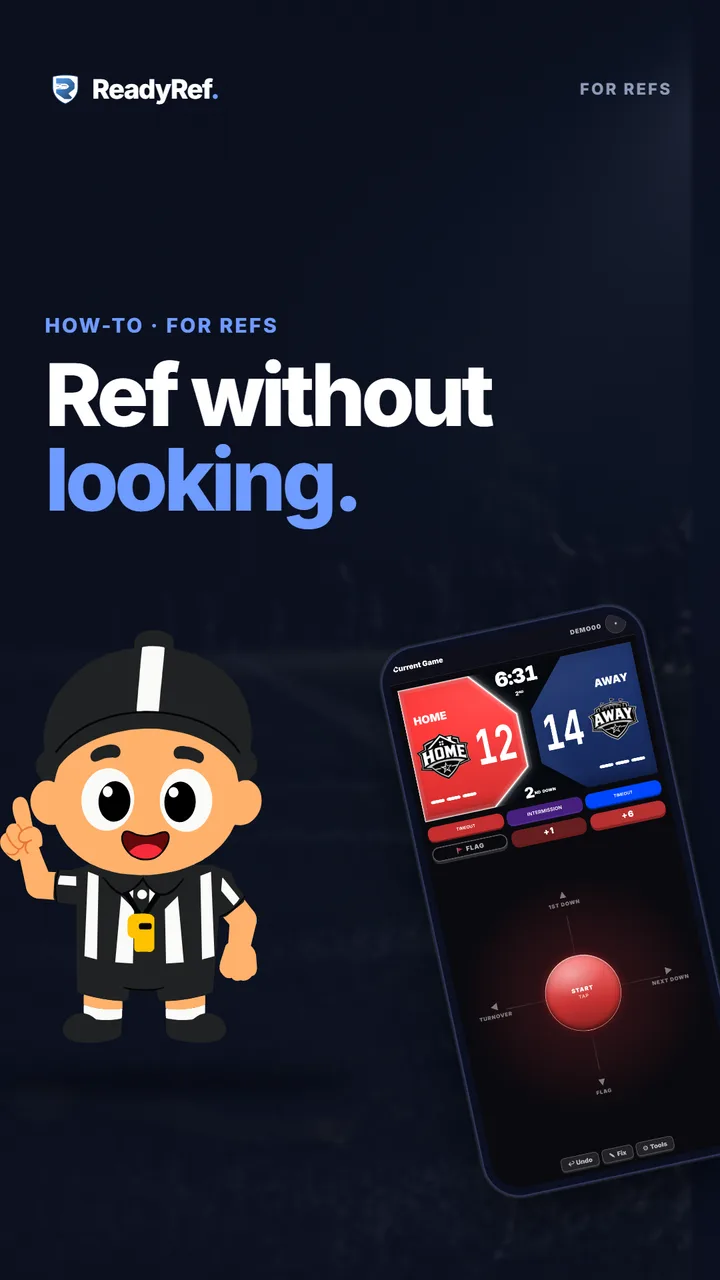
Your eyes belong on the play, not on your phone. The swipe pad puts five calls under your thumb.
Tap to start the clock. Tap again to stop it. Swipe up for a first down, right for the next down, left for a turnover, and down to throw a flag.
On the Android app, your phone buzzes back. One pulse for left or right, two for up or down, and a long buzz for the clock. Your volume buttons make two more calls. Set them in Profile, then Controls. That’s seven calls without looking at your screen.
A red ring on the knob means a flag is down. Swipe down again to pick it up. Scoring stays on buttons, so a touchdown is always on purpose.
Want different calls? Open Tools, then Game Settings, and remap any direction. Or switch the pad off for buttons. Try it free at readyref.app.